What is an LED screen and how does it work? From module to controller, every term explained
What is an LED screen and how does it work? The build from LED chip to pixel, module, cabinet and receiving card, 12 display terms explained, and every LED screen type.
What is an LED screen? In one sentence: a display surface in which every pixel makes its own light from a red, a green and a blue LED chip, assembled from modules and cabinets into whatever size the space needs. The longer answer takes in every term that appears on a quotation — pixel pitch, nits, refresh rate, grey scale, IP rating, receiving card. This guide explains the LED screen layer by layer, follows the signal from source to LED, defines the twelve terms that come up most often and lists the LED display types together with the jobs each one is built for.
What is an LED screen? Five layers from chip to wall
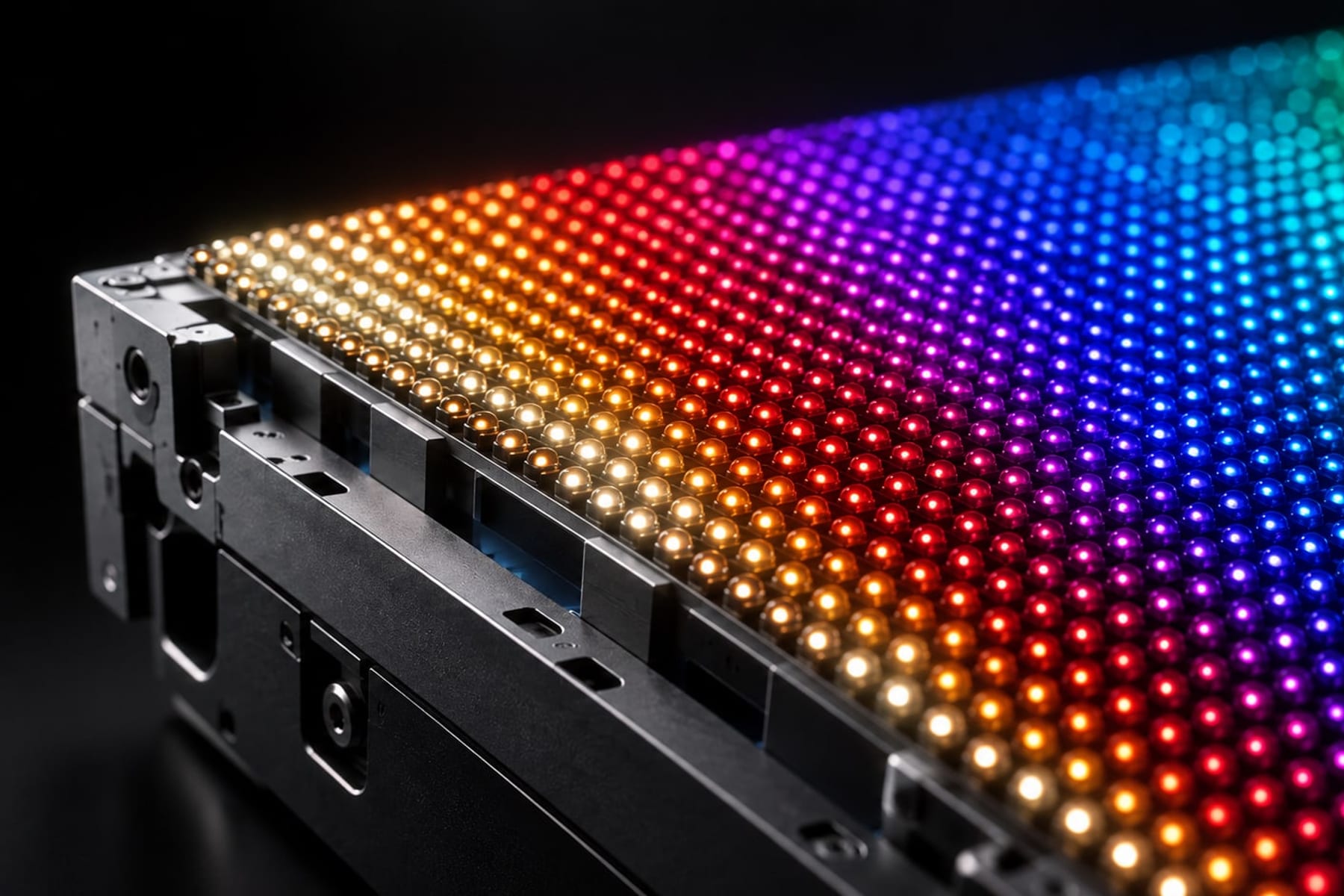
The smallest part is the LED chip: a semiconductor smaller than half a millimetre that emits light when current passes through it. One red, one green and one blue chip sit together in a single package and form a pixel. By driving the three chips at different intensities the pixel produces more than 16 million colours. Because the chips are too small to resolve, from a few metres away the eye sees one coloured dot rather than three points of light. The three-chips-per-pixel rule holds from 0.9 mm fine pitch to a 10 mm outdoor screen; only the package size and the spacing change.
Pixels are mounted on a printed circuit board to make a module. The most common module size is 320 × 160 mm; at P2.5 that board carries 128 × 64 pixels, at P5 it carries 64 × 32. Driver ICs and connectors sit on the back, a protective mask on the front. Modules are fitted into a cabinet: in rental products a 500 × 500 mm or 500 × 1,000 mm die-cast aluminium frame, in fixed installations larger steel or aluminium bodies up to 960 × 960 mm. Every cabinet also houses a power supply, a receiving card and a hub board that connects the modules to that card.
Cabinets tiled side by side and stacked on top of each other become the LED screen. Ten columns and six rows of 500 × 500 mm cabinets give a 5 × 3 m wall of 15 m²; change the cabinet count and the size and aspect ratio change with it. This is where the fundamental difference from a television begins: an LED screen has no fixed size. It grows cabinet by cabinet and follows the architecture.
- 01LED chip: the light-emitting semiconductor; red, green or blue.
- 02Pixel: three chips in one package; the smallest coloured point on the screen.
- 03Module: thousands of pixels on a circuit board, typically 320 × 160 mm.
- 04Cabinet: 500 × 500 mm up to 960 × 960 mm, holding 4–18 modules, a power supply and a receiving card.
- 05Wall: tens or hundreds of cabinets driven as one image surface.
LED screen vs LED TV vs LCD: what actually differs
The device sold as an "LED TV" is an LCD screen. A liquid-crystal layer forms the picture and white LEDs behind it only provide the light. The pixels do not emit anything; they open and close to let backlight through. That is why black on an LCD is never fully black, why brightness stops at 300–500 nits, and why the panel is a single sheet of glass whose size was fixed in the factory.
In a true LED screen — the industry calls it direct-view LED — every pixel emits its own light. A pixel that is switched off produces nothing, so black is genuinely black and contrast climbs past 5,000:1. Brightness reaches 600–1,500 nits indoors and 5,000–10,000 nits outdoors, and the surface grows cabinet by cabinet with no bezel between them. The price of all this is that three separate semiconductors per pixel cost more per square metre than a liquid-crystal shutter, and close viewing needs a high pixel density. Our LED video wall versus LCD video wall guide weighs that trade-off at boardroom and control-room scale.
How does an LED screen work? The signal path from source to LED
The picture starts at a source: a media player, a computer, a camera or a broadcast switcher. The HDMI, DisplayPort or SDI signal first enters a video processor. The processor selects between inputs, scales the picture to the real pixel count of the wall — fitting a 1,920 × 1,080 file onto a 3,200 × 1,280 pixel wall, for example — and applies colour, brightness and gamma settings. If the wall is not a 16:9 television shape, the processor crops and rearranges the image to match the architecture.
From the processor the picture goes to the sending card. The sending card divides the wall into cabinet-sized regions and outputs each region on a network port. One gigabit port carries roughly 650,000 pixels at 8-bit colour and 60 Hz, so large walls use several ports. Over short runs the cable is CAT6 copper; beyond about 100 m it is optical fibre. Cabinets are daisy-chained, and if the data is also fed from the far end as a loop, a failed cable does not take out the picture.
Inside every cabinet a receiving card takes only the part of the picture that belongs to that cabinet and passes the rest down the chain. It distributes the pixel data through the hub board to the modules, where driver ICs feed each LED a constant current and set brightness by how long that current is on — switching thousands of times per second. Calibration data also lives on the receiving card: the factory-measured colour deviation of every pixel is corrected here. The whole journey from source to LED takes a few milliseconds.
On an LED screen the picture is not produced by one device but by a chain in which every cabinet drives its own share.
LED display terms: a 12-term glossary
The twelve terms below are the shared language of quotations, datasheets and tender documents. Each is given a one-line definition, its typical range and the point to check when you are deciding.
Pixel pitch
The distance from the centre of one pixel to the centre of the next, written in millimetres and abbreviated with a P. On a P1.9 screen pixels sit every 1.9 mm, on a P10 every 10 mm. Because the pitch applies in both directions, density grows with the square: P1.9 fits about 277,000 pixels into a square metre, P10 fits 10,000. Resolution, viewing distance, power and price all follow from this number. Our pixel pitch guide covers the selection method in detail.
Nits (brightness)
Nit is the everyday name for candela per square metre (cd/m²), the measure of how much light a screen emits. A smartphone produces 600–1,000 nits, an LCD television 300–500. An indoor LED screen needs 600–1,500 nits, an outdoor screen in direct sun 5,000–10,000, and a transparent mesh screen behind glass more than 4,000 because it competes with daylight. Too much brightness indoors is tiring; the right figure is set by ambient light, not by the largest number on the sheet.
Refresh rate
How many times per second the LEDs are re-driven, in Hz — not to be confused with the 50 or 60 Hz frame rate of the source. The eye is satisfied at 960 Hz, but a camera shutter catches the on-off cycle of the LEDs and records rolling black bands. For any screen that goes on television, is filmed for social media or is recorded on a phone at a concert, 3,840 Hz is the floor; broadcast studios and XR stages use 7,680 Hz.
Grey scale (bit depth)
The number of steps at which each colour can be driven. Eight bits give 256 levels per channel; 14 bits give 16,384 and 16 bits 65,536. More steps mean smoother gradients in dark scenes and colour that survives low brightness. That last point matters most: indoor screens usually run at 20–40 per cent brightness, and a screen with shallow bit depth loses steps at that level and shows banding. Writing "high grey scale at low brightness" into the specification settles the issue before purchase.
Contrast
The ratio between the brightest white and the darkest black. On an LED screen black comes from a pixel that is switched off and emits nothing, so the real limit is how much ambient light the surface reflects. Black masks and matte LED packages reach 5,000:1; COB surfaces with a black resin coating reach 10,000:1 and beyond. In a glass-fronted lobby or outdoors in daylight, contrast decides legibility as much as brightness does: a bright but reflective surface looks washed out despite a high nit figure.
Colour temperature and calibration
Colour temperature gives the tone of white in Kelvin: 6,500 K is the neutral daylight standard, 3,200 K the warm tone of studio lighting. Calibration is the factory process of measuring every pixel and pulling it to the same target; LED chips vary slightly between production batches, and on an uncalibrated wall the cabinets differ visibly in tint. A good manufacturer writes the calibration data to the receiving card, and on-site recalibration later corrects ageing. When cabinets from different batches are mixed, that data is essential.
IP rating
The IP code gives protection against dust and water in two digits: the first for dust (0–6), the second for water (0–9). IP65 means fully dust-tight and resistant to water jets; IP54 means limited dust and splash resistance. On outdoor screens the front must be IP65; the rear must also be IP65 if it is exposed, while IP54 is enough inside an enclosed housing. Indoor products are typically IP30–IP40. For coastal sites and high humidity, asking for IP66 is a reasonable margin.
SMD, COB and GOB
Three ways of building the LED package. In SMD the red, green and blue chips sit in a small plastic package soldered to the board; it is the most common and economical method. In COB the chips are mounted directly on the circuit board under a single layer of resin; the surface is impact-resistant, matte and cheaper below 1.2 mm. GOB pours a transparent protective gel over an SMD module, protecting rental and interactive floor screens against knocks and moisture. Our COB versus SMD article has the detail.
Viewing distance
The closest distance at which the eye no longer picks out individual pixels. The working rule: pixel pitch in millimetres equals minimum viewing distance in metres. P2.6 reads cleanly from about 2.6 m, P10 from about 10 m, and the picture looks best at two to three times that distance. This is why specifying P3.9 for a façade viewed from 40 m means paying four times the LEDs and power for a resolution nobody can see. Always measure from the closest realistic viewer position.
Power consumption (maximum and average)
Datasheets give two figures. Maximum is the moment every pixel shows full-brightness white: 350–500 W/m² for indoor fine pitch, about 650 W/m² for P3.9 rental, above 800 W/m² for outdoor. Average is measured on real video content and is usually about a third of maximum. Electrical supply and breakers are sized to the maximum; running cost and cooling are calculated from the average. A 100 m² outdoor screen can demand 80 kW at peak, and that number drives the generator and distribution board design.
Service access
Which side the module and electronics are reached from when something fails. Front service means modules are released from the front by magnets or latches; it is mandatory for indoor screens mounted flush to a wall and for façades that cannot have a walkway behind them. Rear service means opening a door on the back of the cabinet; it is common on rental and steel-framed outdoor screens because it makes the front easier to seal. It also determines cabinet depth and the mounting system, so settle it before installation.
Cabinet and module
The module is the smallest replaceable part that carries the LEDs; the cabinet is the structural body that carries the modules, the power supply and the receiving card. Rental cabinets are 500 × 500 mm die-cast aluminium weighing 6–8 kg, hung with quick locks. Fixed indoor cabinets keep a 16:9 ratio at sizes such as 600 × 337.5 mm; outdoor cabinets grow to 960 × 960 mm. A quotation should state cabinet size, weight and depth: transport, rigging load and the mounting system are all derived from those three numbers.
LED display types, and the Xeron series behind each
Indoor screens come at 600–1,500 nits, fine pitches from 0.9 to 2.5 mm and a silent, fanless design; in the Xeron catalogue XR Fine covers boardroom and lobby scale and XR Ultra the large corporate wall. Outdoor screens combine an IP65 body, 5,000–10,000 nits and pitches of 4–10 mm for façades, squares and roadside advertising; XR Vision is the fixed-façade series and XR Rugged is built for harsh climates and high humidity.
Rental screens are made to go up and come down quickly, with light cabinets, quick locks and curve adjustment; XR Event is the concert and launch-stage product, XR Arena the choice for large halls and stadium scale, and XR Flex gives concave and convex angles for curved rental builds. Fine-pitch screens sit below 1.5 mm, mostly in COB construction, and are designed for control rooms viewed from under three metres, where XR Fine again leads.
Transparent screens sit behind glass façades and leave the space behind them visible: XR Air is a mesh with 60–80 per cent transparency, Jellyfish LED Film bonds directly to glass, and Jellyfish Hologram Glass forms the image in the glass itself. Flexible and curved screens for wrapping columns and cylindrical surfaces are the domain of XR Curve. Kinetic screens move in three dimensions on motorised cabinets in the SPKI (indoor) and SPKO (outdoor) series. Floor screens carry load and respond to touch with XR Floor; the digital poster is a one-piece in-store solution as the Poster LED Display. XR Studio is the virtual production stage and XR Holo the product for holographic effects.
Which LED screen for which job
Screen selection usually comes down to three questions: how close will the viewer stand, will the screen see the sun, and is the installation permanent or temporary. The mapping below covers the scenarios we meet most often.
- 01Boardroom or control room, 2–4 m viewing: P0.9–P1.5 fine pitch, 600–800 nits, 3,840 Hz — XR Fine.
- 02Lobby, showroom or retail wall, 3–8 m viewing: P1.5–P2.5, 800–1,500 nits — XR Fine or XR Ultra.
- 03Concert, wedding, product launch or exhibition stage: P2.6–P3.9 rental, 500 × 500 mm cabinets, curve adjustment — XR Event, XR Flex.
- 04Façade, square or roadside DOOH viewed from 15 m and beyond: P6–P10, 6,000+ nits, IP65 — XR Vision, XR Rugged.
- 05Shop window or glass façade: transparent mesh or film, 4,000+ nits — XR Air, Jellyfish LED Film.
- 06Stage floor or interactive area: load-bearing, non-slip surface — XR Floor.
- 07Store entrance or hotel lobby, one-piece quick solution: Poster LED Display.
- 08Virtual production and XR shoots: 7,680 Hz, wide colour gamut — XR Studio.
- 09Brand experience and architectural motion: kinetic cabinets — SPKI / SPKO Kinetic.
From "what is an LED screen" to buying one: where to read next
Once the terms are in place, the next questions are budget and application. Our LED screen prices guide explains the factors that set the price per square metre; if you are planning a temporary installation for an event, the LED screen rental guide gives the square-metre calculation and the questions to ask before accepting a quotation. For an outdoor project the outdoor buying checklist lists brightness, IP rating, thermal design and warranty clauses. Readers wondering how many years a screen will last will find our LED screen lifespan article, which explains what the 100,000-hour figure means in practice and sets out a maintenance calendar.
For comparisons, our LED screen versus projector and LED video wall versus LCD video wall articles put two technologies side by side at the same scale, and the event screen size guide shows how to get from room dimensions to screen dimensions. All of those articles use the terms defined in this glossary; when a number is unclear, this page is the place to come back to.
If you would like to settle the right screen for your project together, share your room dimensions, viewing distance and content type through the Start a Project page; the Xeron team returns a preliminary proposal covering pixel pitch, brightness and cabinet selection.
Frequently asked questions
What is an LED screen, and how is it different from an LED TV?
An LED TV is an LCD with an LED backlight: its pixels filter light from behind rather than emitting it. In a true LED screen every pixel emits its own light from red, green and blue chips, so black is genuinely black, brightness reaches 1,500–10,000 nits and the surface grows cabinet by cabinet with no bezels, to any size.
How does an LED screen produce an image?
A video processor scales the source to the wall's pixel count, then a sending card splits the picture into cabinet regions and sends them over CAT6 or fibre. The receiving card in each cabinet takes its share and feeds the modules through the hub board, where driver ICs set each LED's brightness by switching it thousands of times per second. Mixing the three chips gives the pixel its colour.
What is a nit, and how many nits does an LED screen need?
A nit is the unit candela per square metre and measures screen brightness. Indoor LED screens need 600–1,500 nits, outdoor screens in direct sun 5,000–10,000, and transparent screens behind glass more than 4,000. For comparison an LCD television produces 300–500 nits. The right figure follows ambient light; more than that is tiring indoors and wastes power.
Why does refresh rate matter, and how many Hz should it be?
Refresh rate is how many times per second the LEDs are re-driven. The eye sees 960 Hz as continuous, but a camera shutter records rolling black bands at low rates. For stages, television broadcast, social media filming and virtual production 3,840 Hz is the floor, and XR studios use 7,680 Hz. A façade billboard that no camera will film can manage with 1,920 Hz.
What are the main types of LED screen?
The main classes are indoor, outdoor, rental, fine pitch, transparent or mesh, flexible and curved, kinetic, floor and poster screens. They are separated by brightness, IP rating, cabinet weight and pixel pitch: indoor means 600–1,500 nits at P0.9–P2.5, outdoor means 5,000+ nits and IP65, and rental means quick-lock 500 × 500 mm cabinets built for repeated assembly.
What do the sending card and receiving card do?
The sending card takes the picture from the video processor, divides it into cabinet regions and sends them down the chain through network ports; one gigabit port carries about 650,000 pixels. The receiving card in each cabinet takes only its share, passes the rest to the next cabinet and drives the modules with calibration data applied to every pixel. Together they form the control system.