Kinetic LED screens explained: how moving LED walls add physical depth to digital content
Kinetic LED mounts display units on actuators that move with the video. How 3D kinetic screens work, where they earn their place, and what to plan for in structure, sync and content.
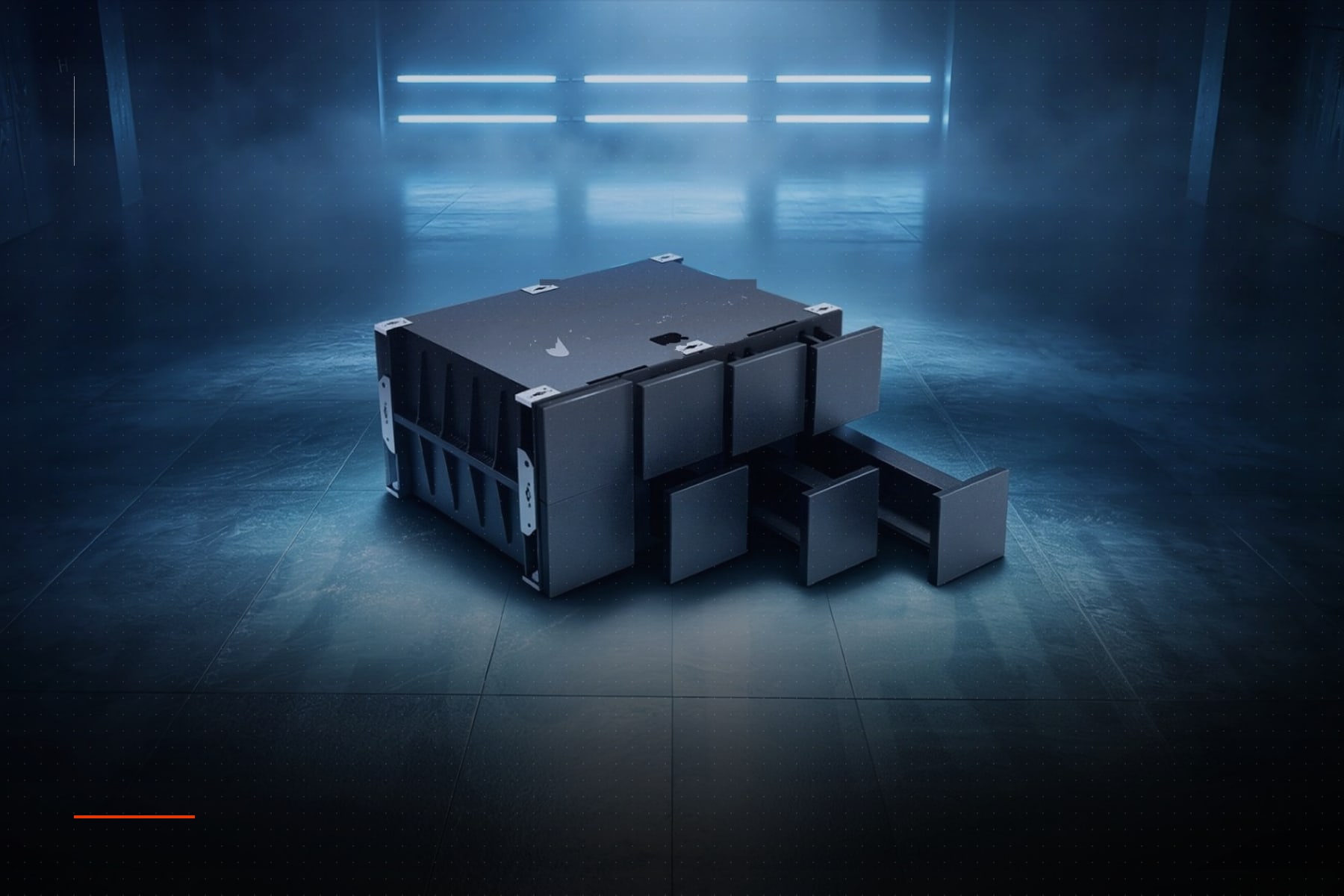
A kinetic LED screen is a display whose pixels physically move. Independent motion units — each a small LED module on a linear actuator — travel forward and back on the Z-axis in choreography with the video content, so the image gains real depth, real shadows and real motion. It is a new category of architectural display, sitting between digital signage and kinetic sculpture. This article explains how kinetic LED walls work, the specifications that separate serious systems from novelties, where the technology succeeds, and how to plan a kinetic installation.
How a kinetic LED wall works
Each motion unit is a cabinet of 128 to 320 mm square carrying a fine-pitch LED face on the front and an actuator behind. Indoor systems extend up to 300 mm at speeds around 600 mm/s; outdoor units extend 600 mm or more. A control system runs the video and the motion from one frame-locked timeline, so a wave in the content is also a wave in the wall. Between units, a 0 mm visual gap during extension keeps the picture continuous even when neighbouring units sit at different depths.
Key specifications to compare
- 01Extension stroke (300 mm indoor, 600 mm outdoor) and speed (600–800 mm/s).
- 02Motion-unit size and resolution: 128 × 128 mm at 72 × 72 pixels is typical for close viewing.
- 03Visual gap during motion, and the module gap at rest.
- 04Anti-pinch protection (force-limited actuators) for public spaces.
- 05Front maintenance and unit hot-swap without dismantling neighbours.
- 06Software: content plug-ins for After Effects, TouchDesigner and Unreal, plus a simulator to preview motion.
Where kinetic LED works
Retail flagships, hotel and corporate lobbies, exhibition stands, museums and stage design. Kinetic surfaces reward audiences who stop and watch; the effect lands when the viewer can see the depth change over a few seconds. They are less suited to fast corridors or long viewing distances where the movement reads as flat.
Depth becomes part of the image.
What to plan for
- 01Motion depth: the wall needs clearance behind its plane for the full stroke plus service space.
- 02Structure: moving mass changes loads; the frame is engineered for dynamic forces, not just weight.
- 03Sync: motion and video run from one frame-locked timeline; plan the control network early.
- 04Content: authored in 3D with motion curves, not as flat video; the content team needs the simulator.
- 05Service: actuators are mechanical; specify maintenance intervals, spare units and front access.
- 06Safety: anti-pinch limits, guarding at reachable heights and an emergency stop for public spaces.
Indoor and outdoor kinetic LED
Indoor systems focus on close viewing with 1.5 to 2.6 mm pitches and small motion units for a fluid surface. Outdoor kinetic walls use larger 320 to 500 mm units, 5 to 10 mm pitches, longer strokes, IP65 protection and brightness up to 8,000 nits, and are typically installed on façades and plazas where scale carries the effect.
Content design for kinetic walls
The best kinetic content uses motion sparingly and meaningfully: a logo that rises from the wall, a wave that travels with the video, a grid that breathes with the music. Constant movement fatigues the viewer and the mechanism. Author depth maps alongside the video, preview in the simulator and keep peak speeds for moments that deserve them.
Frequently asked questions
What is a kinetic LED display?
An LED wall made of independent motion units that move forward and back on actuators in sync with the video, adding physical depth and motion to the image.
How far do kinetic LED units move?
Indoor systems extend about 300 mm, outdoor systems 600 mm or more, at speeds up to 600–800 mm/s.
Are kinetic LED walls safe in public spaces?
Serious systems limit actuator force (anti-pinch protection), guard reachable units and include an emergency stop. Ask for the force limit and the safety certification.
How is content made for a kinetic screen?
In 3D tools with plug-ins for After Effects, TouchDesigner or Unreal: the video and a depth channel are authored together and previewed in a simulator before playback.